
The AnyPress app for Zapier creates and manages your clients’ sites as Zap steps. The Site Event trigger starts a Zap when a site is ready, fails, is suspended and more.
Add the app to Zapier #
The AnyPress app is shared by invite while it waits for its spot in the Zapier app directory. Sign in to Zapier, then open the AnyPress invite link and accept it. AnyPress then shows up in the app list of every Zap you make.
Connect your key #
- Sign in at app.anypress.io and open API keys. Make a key and copy its secret: it is shown once.
- In a Zap, pick AnyPress as the app and choose Sign in.
- Paste the key into API Key and the secret into API Secret.
With a partner key, every AnyPress step shows a Storefront list. Pick the storefront the site belongs to. With a storefront’s own key, leave it empty.
Create a site #
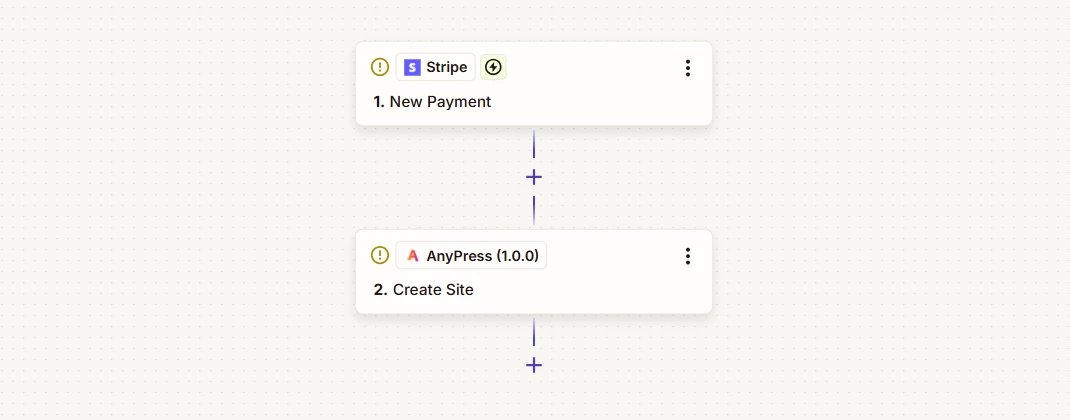
- Add the action Create Site.
- Fill in Site Name, and map Client Email from the trigger to make their WordPress login.
- Map the payment or deal id into Your Reference. If the Zap runs twice, the second run gets the same site back instead of building another. Only letters, numbers and dashes work, so swap any underscore for a dash with a Formatter step.
- Pick the Size, which Starting Site Group to copy, and the client’s own domain if they have one.
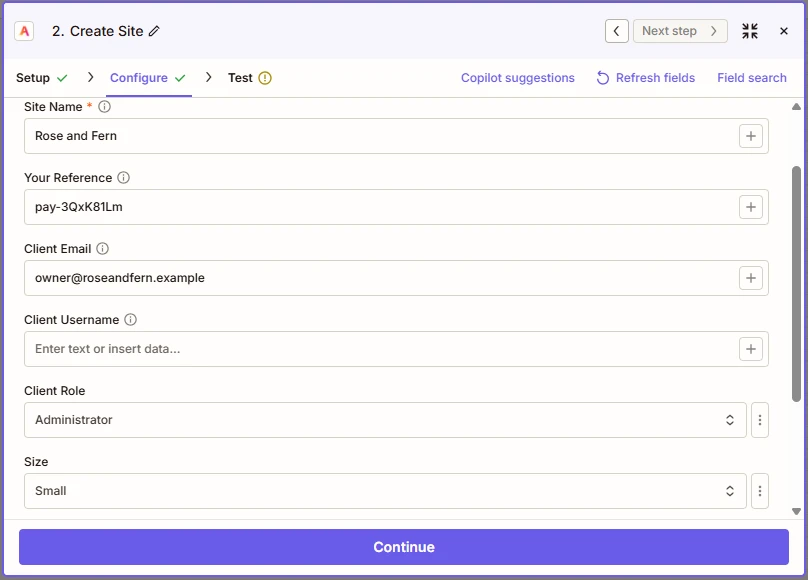
The step answers at once, while the site is still being built. Use the Site Event trigger to hear when it’s ready.
Find, suspend, resume or delete a site #
Use Find Site, Suspend Site, Resume Site or Delete Site, and fill in Your Reference or Site ID. Suspend backs the site up first unless you set Back Up First to no. Delete keeps its backups, so it can be restored.
Start a Zap when a site is ready #
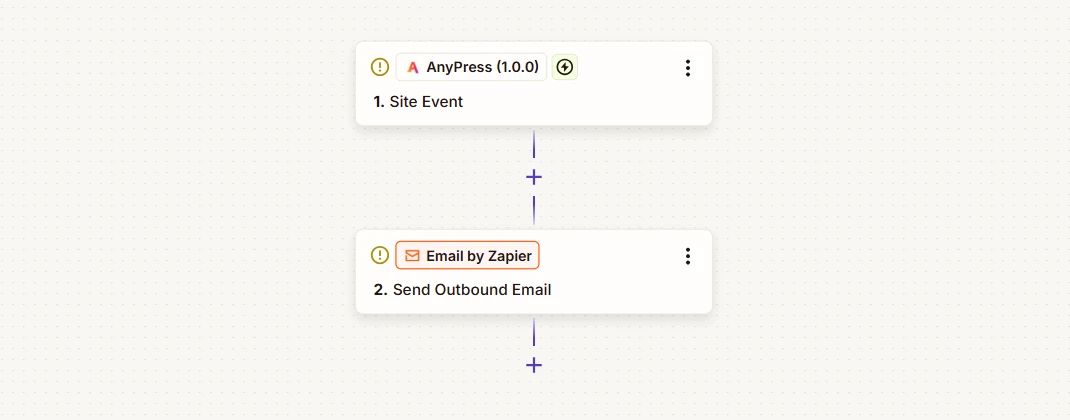
- Start a Zap with AnyPress, trigger Site Event.
- Pick the Event. Site ready is picked for you.
- Turn the Zap on. It registers itself with AnyPress, and removes itself when you turn it off.
Each event brings the site with it: its name, your reference, its status and its address. The trigger checks the signature on every request, so nothing that didn’t come from AnyPress starts your Zap.
Questions? Write to support@anypress.io.
Watch it #
More videos: Video guides.


